SocialCare-Hub
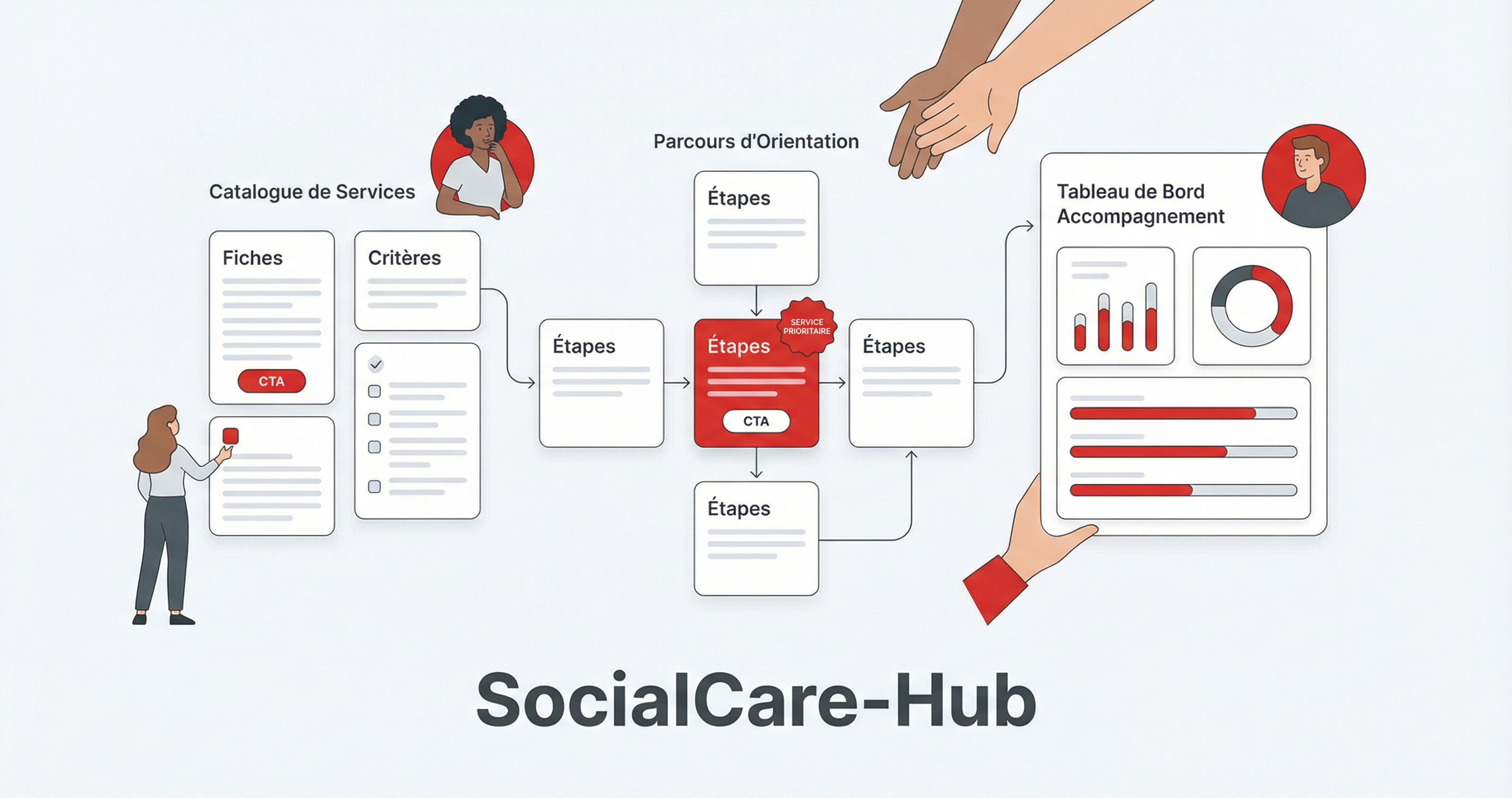
Plateforme SaaS travail social - microservices, digitalisation, React TypeScript, API Gateway
Technologies
Documentation du projet
SocialCare Hub - Plateforme SaaS pour le Travail Social
🎯 Vision
SocialCare Hub est une solution SaaS unifiée et intégrée destinée aux travailleurs sociaux, permettant de digitaliser et optimiser l'ensemble du processus de travail social tout en maintenant l'aspect humain essentiel à ces métiers.
🏗️ Architecture Globale
Stack Technologique
- Backend: Node.js avec Express.js + TypeScript
- Frontend: React avec TypeScript + Material-UI
- Base de données: PostgreSQL + Redis (cache)
- Mobile: React Native
- Cloud: AWS (ECS, RDS, S3, CloudFront)
- Sécurité: OAuth 2.0, JWT, chiffrement end-to-end
- APIs: REST + GraphQL
Architecture Microservices
┌─────────────────────────────────────────────────────────────┐
│                    FRONTEND LAYER                          │
├─────────────────────────────────────────────────────────────┤
│  React Web App  │  React Native App  │  Admin Dashboard   │
└─────────────────────────────────────────────────────────────┘
                              │
┌─────────────────────────────────────────────────────────────┐
│                   API GATEWAY                              │
│  Authentication │  Rate Limiting │  Request Routing        │
└─────────────────────────────────────────────────────────────┘
                              │
┌─────────────────────────────────────────────────────────────┐
│                 MICROSERVICES LAYER                        │
├─────────────────────────────────────────────────────────────┤
│ User Service │ Client Service │ Planning Service │          │
│              │                │                 │          │
│ Evaluation   │ Collaboration  │ Resources       │ Finance  │
│ Service      │ Service        │ Service         │ Service  │
│              │                │                 │          │
│ Analytics    │ Communication  │ Training        │ Mobile   │
│ Service      │ Service        │ Service         │ Service  │
└─────────────────────────────────────────────────────────────┘
                              │
┌─────────────────────────────────────────────────────────────┐
│                  DATA LAYER                                │
├─────────────────────────────────────────────────────────────┤
│ PostgreSQL │ Redis Cache │ Elasticsearch │ S3 Storage      │
└─────────────────────────────────────────────────────────────┘
📁 Structure du Projet
SocialCare_Hub/
├── backend/                 # Services backend
│   ├── api-gateway/        # Gateway API
│   ├── user-service/       # Gestion utilisateurs
│   ├── client-service/     # Gestion dossiers clients
│   ├── planning-service/   # Planification et suivi
│   ├── evaluation-service/ # Évaluation et diagnostic
│   ├── collaboration-service/ # Collaboration inter-services
│   ├── resources-service/  # Gestion des ressources
│   ├── communication-service/ # Communication
│   ├── finance-service/    # Gestion financière
│   ├── analytics-service/  # Analytics et reporting
│   ├── training-service/   # Formation et développement
│   └── mobile-service/     # API mobile
├── frontend/               # Application web React
├── mobile/                 # Application mobile React Native
├── shared/                 # Code partagé (types, utils)
├── infrastructure/         # Configuration cloud (Terraform)
├── docs/                  # Documentation
└── scripts/               # Scripts de déploiement
🚀 Installation et Démarrage
Prérequis
- Node.js 18+
- Docker et Docker Compose
- PostgreSQL 14+
- Redis 6+
Installation Rapide
# Cloner le projet
git clone <repository-url>
cd SocialCare_Hub

# Installer les dépendances
npm run install:all

# Configurer les variables d'environnement
cp backend/api-gateway/.env.example backend/api-gateway/.env
cp backend/user-service/.env.example backend/user-service/.env
cp backend/client-service/.env.example backend/client-service/.env
cp backend/planning-service/.env.example backend/planning-service/.env
cp frontend/env.example frontend/.env

# Démarrer l'environnement de développement
npm run dev

# Ou avec Docker
docker-compose up -d
Démarrage séparé
Backend uniquement
# Installer les dépendances backend
npm run install:backend

# Configurer la base de données
npm run db:migrate
npm run db:seed

# Démarrer l'API Gateway
cd backend/api-gateway
npm run dev

# Dans un autre terminal, démarrer le User Service
cd backend/user-service
npm run dev

# Dans d'autres terminaux, démarrer les autres services
cd backend/client-service
npm run dev

cd backend/planning-service
npm run dev
Frontend uniquement
# Installer les dépendances frontend
npm run install:frontend

# Démarrer le serveur de développement
cd frontend
npm run dev
Accès aux applications
- Frontend : http://localhost:5173
- API Gateway : http://localhost:3000
- User Service : http://localhost:3001
- Client Service : http://localhost:3002
- Planning Service : http://localhost:3003
- Prisma Studio : http://localhost:5555
Variables d'Environnement
Créer un fichier .env à la racine :
# Base de données
DATABASE_URL=postgresql://user:password@localhost:5432/socialcare_hub
REDIS_URL=redis://localhost:6379

# JWT
JWT_SECRET=your-super-secret-jwt-key
JWT_EXPIRES_IN=24h

# AWS
AWS_ACCESS_KEY_ID=your-access-key
AWS_SECRET_ACCESS_KEY=your-secret-key
AWS_REGION=eu-west-1

# Email
SMTP_HOST=smtp.gmail.com
SMTP_PORT=587
SMTP_USER=your-email@gmail.com
SMTP_PASS=your-password

# Services externes
SENDGRID_API_KEY=your-sendgrid-key
🔧 Scripts Disponibles
# Installation
npm run install:all          # Installe toutes les dépendances
npm run install:backend      # Installe backend uniquement
npm run install:frontend     # Installe frontend uniquement

# Développement
npm run dev                  # Démarre tout l'environnement
npm run dev:backend          # Démarre backend uniquement
npm run dev:frontend         # Démarre frontend uniquement

# Build
npm run build               # Build tous les services
npm run build:backend       # Build backend
npm run build:frontend      # Build frontend

# Tests
npm run test                # Lance tous les tests
npm run test:backend        # Tests backend
npm run test:frontend       # Tests frontend

# Déploiement
npm run deploy:staging      # Déploie en staging
npm run deploy:production   # Déploie en production
📊 Modules Disponibles
✅ Phase 1 (Modules de Base)
- [x] Gestion des dossiers clients (Service Client - Port 3002)
- [x] Planification et suivi (Service Planification - Port 3003)
- [x] Communication de base
- [x] Authentification et autorisation (API Gateway + User Service)
🚧 Phase 2 (Modules Avancés)
- [ ] Collaboration inter-services
- [ ] Évaluation et diagnostic
- [ ] Gestion des ressources
- [ ] Analytics de base
📋 Phase 3 (Modules Spécialisés)
- [ ] Protection de l'enfance
- [ ] Aide aux personnes âgées
- [ ] Insertion professionnelle
- [ ] Santé mentale
- [ ] Application mobile
🔒 Sécurité
- Chiffrement end-to-end des données sensibles
- Conformité RGPD/HIPAA
- Audit trails complets
- Gestion des permissions granulaires
- Authentification multi-facteurs
- Sauvegarde automatique
📈 Monitoring
- Logs centralisés avec ELK Stack
- Métriques avec Prometheus + Grafana
- Alertes avec PagerDuty
- Health checks automatiques
- Performance monitoring
🤝 Contribution
- Fork le projet
- Créer une branche feature (
git checkout -b feature/AmazingFeature) - Commit les changements (
git commit -m 'Add AmazingFeature') - Push vers la branche (
git push origin feature/AmazingFeature) - Ouvrir une Pull Request
📄 Licence
Ce projet est sous licence MIT. Voir le fichier LICENSE pour plus de détails.
📞 Support
- Documentation :
/docs - Issues : GitHub Issues
- Email : support@socialcare-hub.com
- Slack : #socialcare-hub-support
SocialCare Hub - Révolutionner le travail social avec la technologie 🤝
Code source
Projet open source hébergé sur GitHub.
- 0 étoiles
- 0 forks
- TypeScript
Projets suggeres
ClientCRM
CRM simple pour PME: contacts, opportunites, suivi - Next.js React TypeScript
WebDeliveryTrack
Suivi de livraisons pour PME logistique - tableau de bord, colis, chauffeurs - Next.js TypeScript
WebDistributionJournaux
Application distribution de journaux - Node.js MongoDB, zones et seed
WebDuelDeDame
Jeu de dames en ligne temps reel, Next.js et NestJS, design patterns (Strategy, Factory)